
Best Bouldering App 2026: AI Coaching and Video Analysis
We tested seven major bouldering apps over a 50-hour cycle. Here is which one actually scores your movement and which ones just log it.
Titans Grip
Bouldering Coach, V-scale progression, beta reading, and finger strength
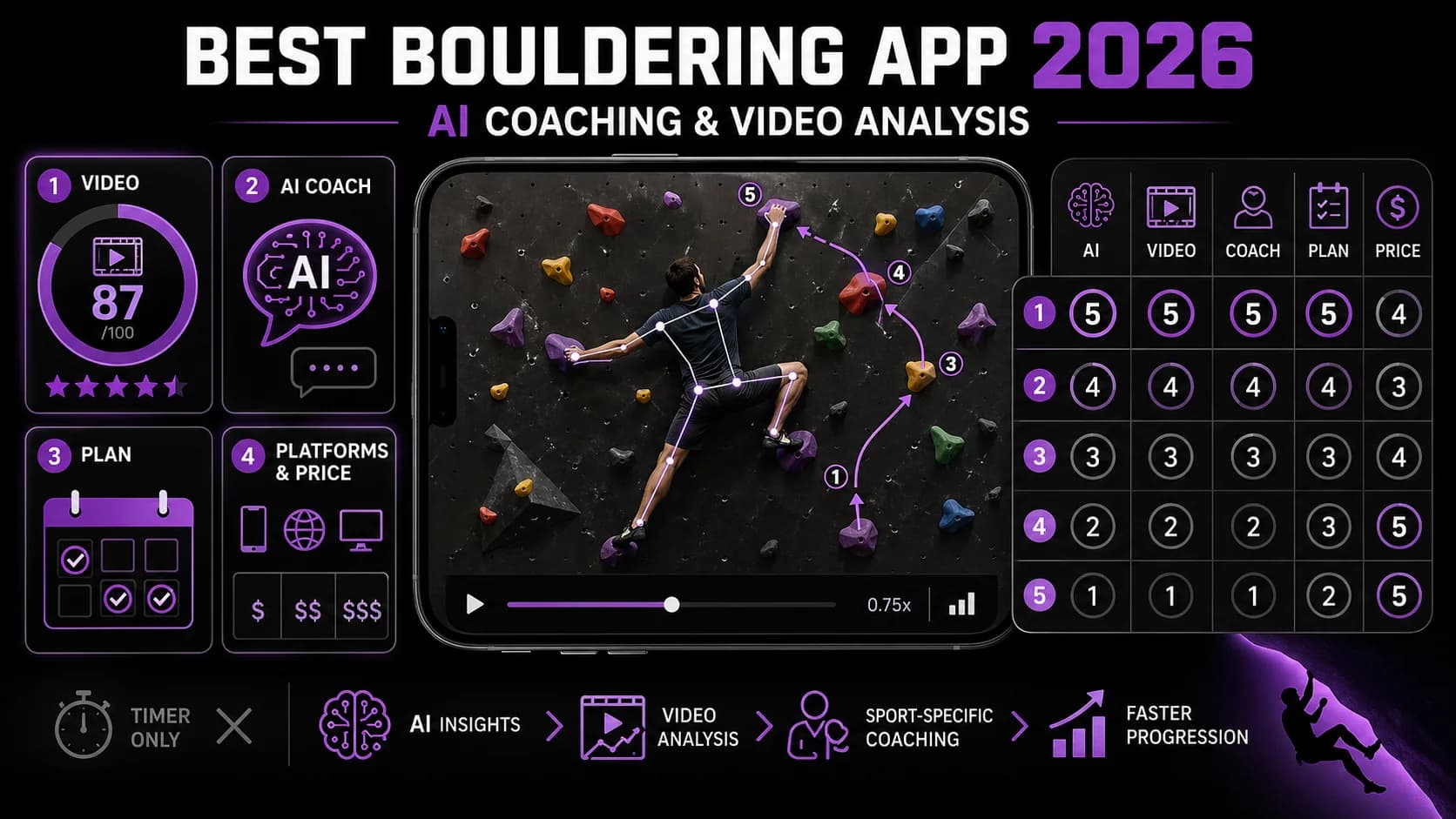
Indoor climbing kept growing through 2025, but the apps did not keep pace with the sport. The Climbing Business Journal's 2025 industry update put North America at 870+ gyms with a 4.7% net growth rate, and most of those new climbers are using a logbook, a social feed, or a guidebook app, not a coaching tool. The category has been waiting for AI movement scoring to mature, and in 2026 it finally has.
We ran seven apps in parallel over 50+ hours of climbing across three different gyms and two outdoor sessions. The question was specific: at the end of a real training cycle, which app actually changes how you climb, and which ones just log what you did?
Key Takeaways
- Bouldering AI is the only app that scores climbing movement from video, giving you a 0–100 score on efficiency, finger tension, and beta reading.
- Crimpd remains the gold standard for structured training sessions, but it does not check your form.
- Lattice Training offers the most thorough physical assessment, but it costs more and ignores on-the-wall technique.
- Moonboard is unbeatable for benchmarked power climbing, but it requires specific hardware.
- KAYA Climb and Stokt are social tools, not coaching tools.
- Vertical Life is for outdoor navigation, not training.
- The realistic budget for a serious climber is $20–$25 per month for one coaching app plus one logbook.
How we ranked them
We weighted five criteria based on what actually drives improvement in bouldering. The weights reflect the reality that most climbers plateau not because they lack strength, but because their movement is inefficient.
- Video analysis quality (40%). Whether the app can score climbing movement (efficiency, hip distance from wall, foot precision) and offer specific correction. This is the hardest thing to build and the most valuable thing to have.
- Coaching depth (25%). Whether the AI or programming layer can answer real climbing questions and adapt to your sessions. A library of workouts is not coaching.
- Climbing-specific library and assessment (15%). Breadth of training content for finger strength, power, technique drills, and the major movement vocabularies (heel hook, drop knee, dyno).
- Price (10%). Subscription value relative to what is delivered. Free is great, but not if it does nothing.
- iOS / Android availability (10%). Whether the experience holds up across devices. Most apps are iOS-first; Android users should pay attention.
Comparison Table
| App | Best For | Video Analysis | Coaching Depth | Price | Platform |
|---|---|---|---|---|---|
| Bouldering AI | Movement scoring & coaching | Yes (0–100 score) | High (Coach Seb chat) | Free tier; $19.99/mo or $179.99/yr | iOS |
| Crimpd | Structured training sessions | No | Medium (session library) | Free core; Crimpd+ premium | iOS, Android |
| Lattice Training | Physical assessment | No | High (1:1 coaching optional) | ~$50 assessment; plans extra | iOS, Android |
| Moonboard | Benchmarked board climbing | No | Low (just logging) | Free app; hardware required | iOS, Android |
| KAYA Climb | Indoor problem tracking | No | Low (logbook only) | Free; KAYA Pro ~$4.99/mo | iOS, Android |
| Stokt | Beta sharing & social | No | None | Free | iOS, Android |
| Vertical Life | Outdoor guidebooks | No | None | Free; guidebooks purchased separately | iOS, Android |
The 7 best Bouldering apps of 2026
1. Bouldering AI by Titans Grip — best overall
What it does. This is the only app on the list that scores climbing movement from video. You film an attempt, upload it, and get a 0–100 score across three pillars: movement efficiency (hip-to-wall distance under load, smoothness of weight transfer), finger tension application (whether your half-crimp is engaged through the move or you are dragging open-handed), and beta reading (whether the chosen sequence is plausibly the most efficient one for your build). The chat coach, "Coach Seb," handles V-scale progression questions, hangboard programming, and IFSC ruleset queries.
Key features:
- AI video analysis with 0–100 scoring across movement, finger tension, and beta.
- Frame-by-frame annotations on hip distance, foot precision, and engagement timing.
- "Coach Seb" chat trained on bouldering pedagogy, including coaching frameworks from Lattice and Camp4.
- V-scale progression plans that adapt to your logged session quality.
- Integration of IFSC competition rules and common gym format conventions (5-minute round limits, observation periods).
Pricing. Free tier with three video analyses per month. Premium runs $19.99 per month or $179.99 per year and unlocks unlimited analysis, full chat, and the adaptive plan flow.
Best for. Climbers who care about efficient movement (which is everyone above V3 if they are honest) and want a way to audit it between gym sessions.
Honest verdict. The movement scoring is the differentiator. The system works best on side-on footage filmed at chalk-bag height with the climber fully in frame; it loses precision on selfie-style overhead phone footage with bodies clipping in and out. The hangboard and finger-strength tracking is currently better integrated with movement than what Crimpd offers, but Crimpd still has the edge on the breadth of pure training-session library. If you only ever do hangboard sessions and never climb, Crimpd is fine. If your training includes actual climbing, Bouldering AI is the only thing on this list that scores the movement.
Limitations. iOS only at launch. The free tier is limited to three analyses per month, which is enough for weekly check-ins but not for daily feedback. The AI can sometimes misread beta on very complex sequences with multiple foot swaps.
Train Bouldering with AI
Coach Seb analyzes your technique, scores your form 0-100, and builds your training plan.
Download Bouldering AI2. Crimpd — best for structured training sessions
What it does. Built by the Lattice Training team, Crimpd is a library of climbing-specific training sessions designed by working coaches. Hangboard protocols, max-hang assessments, power-endurance circuits, antagonist work, and benchmark tests across the disciplines.
Key features:
- Library of 100+ structured sessions across strength, power, power-endurance, and capacity.
- Benchmark assessments (max hangs, 7-second hangs at body weight, finger pull-ups) with comparison to the Lattice database.
- Workout log linked to the assessment scores.
- Targeted programmes for goals like finger strength or power-endurance.
- Integrates with some smart training boards for auto-logging.
Pricing. Core sessions are free. Crimpd+ premium subscription via Crimpd's pricing page for the full programme builder and personalisation features, billed monthly or annually through the App Store / Play Store.
Best for. Climbers who already know what they want to train and need a clean structured-session library.
Limits. No video movement scoring. No interactive coach. The app assumes you can execute the sessions correctly; it does not check your form. If you are doing a max-hang session with poor form, Crimpd will not catch it.
3. Lattice Training — best for performance assessment
What it does. The professional-grade assessment platform behind Crimpd. The Lattice Training Plans are the formal coaching service: standardised tests for finger strength, pull-up capacity, mobility, and power, then a profile that compares you to the broader Lattice database and identifies your physical limiters.
Key features:
- Comprehensive physical assessment battery (finger strength, pull-up capacity, mobility, antagonist balance).
- Comparison against a large database of climbers by grade and discipline.
- "Lattice Lite" auto-generated plans based on your assessment results.
- Optional 1:1 remote coaching with a Lattice coach.
- Heavy emphasis on identifying the physical limiters holding back your grade.
Pricing. Initial assessment around $50; ongoing plans and coaching priced separately.
Best for. Data-driven climbers who suspect a physical limiter and want a structured way to find and fix it.
Limits. Pricier than the rest of the list. The focus is physical assessment, not on-the-wall movement or beta. If you already know your strength and your weakness is technique, this is not the right tool. The assessment process also takes time and requires specific equipment (hangboard, pull-up bar).
4. Moonboard — best for benchmarked board climbing
What it does. Controls the Moonboard training board and gives you access to thousands of standardised, graded benchmark problems. Because the holds and angles are identical worldwide, sends are directly comparable across gyms.
Key features:
- Controls the LED-lit Moonboard board.
- Access to a large, graded library of benchmarks.
- Send tracking on the standardised set.
- Excellent for tracking pure power and contact-strength gains over time.
- Global leaderboards for individual problems.
Pricing. App is free. Requires access to a Moonboard, which is a hardware investment.
Best for. Climbers with Moonboard access who want a reliable, standardised way to benchmark progress on power-style climbing.
Limits. Locked to specific hardware. Limited to the board's hold set, which biases your training toward a specific style of crimpy power climbing. Not useful for slab, overhang technique, or outdoor climbing. The app itself is barebones—it does not offer coaching, analysis, or programming beyond the problem library.
5. KAYA Climb — best for indoor problem tracking
What it does. Massive crowdsourced logbook of indoor problems with social and stats layers. Where it shines is in gyms that have the KAYA partnership: every problem in the gym is logged in the app with grades, beta videos, and tick stats.
Key features:
- Database of indoor problems from partner gyms worldwide.
- Send logging with grade pyramid stats.
- Social feed for following friends.
- Tick-list and project tracking.
- Basic stats on training volume.
Pricing. Free for core features. KAYA Pro around $4.99 per month for advanced stats and offline access.
Best for. Social climbers in KAYA-partnered gyms who want to log every send and follow their crew.
Limits. Logbook only. No movement scoring, no coaching, no programming. If your gym is not a KAYA partner, the app loses most of its value.
6. Stokt — best for problem creation and beta sharing
What it does. Visual social platform built around short climbing videos. Climbers create problems on training walls, share their sends, and crowdsource beta in the comments.
Key features:
- Instagram-style feed for short climbing video.
- Tagging by gym, grade, and problem style.
- Beta crowdsourcing in comments.
- Discover new problems and climbers in your area.
- Lightweight, social-first interface.
Pricing. Free.
Best for. Climbers who enjoy the social side of the sport and want to share or discover beta visually.
Limits. Not a training tool. Beta from peers varies wildly in quality. No analysis, no programming, no scaffolding. The app is fun for inspiration but will not make you a better climber on its own.
7. Vertical Life — best for outdoor guidebooks
What it does. The leading digital guidebook platform for outdoor climbing. Topos, route descriptions, photos, and user-submitted condition updates for thousands of crags and boulder fields, with strong offline functionality.
Key features:
- Extensive digital guidebooks for outdoor areas worldwide.
- Offline maps and topos.
- Outdoor send logging and tick-lists.
- User-submitted condition updates.
- Integrated weather forecasts.
Pricing. Free with limited areas; guidebooks purchased individually or via regional subscription.
Best for. Outdoor climbers and boulderers who need reliable, current information on crags.
Limits. Outdoor-navigation focused. No training or technique features at all. Not useful for indoor climbers or those looking to improve their movement.
How the ranking actually works
The 40% weight on video analysis is the structural reason Bouldering AI lands at #1. Without it, the ranking is essentially Crimpd for sessions, Lattice for assessment, Moonboard for benchmarked board climbing, KAYA for indoor logging, and so on. None of those apps tell you that your hip is six inches further from the wall than it needs to be on the move you keep falling off. That kind of feedback used to require a coach with a phone. The augmented-feedback motor learning literature, including the systematic review on augmented feedback in motor learning, is consistent that visual augmented feedback outperforms verbal cues for complex motor skills, and bouldering is one of the most complex sports there is.
The supporting case for finger work is well-evidenced too. The Wilderness and Environmental Medicine review of finger pulley injuries puts pulley injuries at roughly 30% of all finger injuries in climbing, with the A2 pulley taking the brunt. An app that integrates volume tracking with movement scoring helps you see when you are loading fingers in a session where the movement is breaking down, which is exactly the pattern that produces the injury.
FAQ
Which is the best bouldering app for a beginner in 2026?
For a beginner, Bouldering AI is the best bet because the AI catches the basics (foot precision, hip distance, when you are climbing on bicep instead of bone) at the stage where you cannot feel them yourself. KAYA and Stokt are great social tools and worth installing alongside, but they will not correct your footwork or your body position. The augmented-feedback evidence is consistent: visual feedback accelerates skill acquisition for complex motor tasks more than verbal cueing or self-review.
Do bouldering apps actually improve technique, or are most just timers?
Most are timers, logbooks, or social feeds. Bouldering improves through a feedback loop: try, get specific feedback, try again. Until 2024 no app could close that loop. The current generation of AI movement-scoring apps can. The category is splitting into "video-scoring AI" (Bouldering AI), "structured training sessions" (Crimpd), "physical assessment" (Lattice), and everything else.
How much does a good bouldering app cost per month?
Coaching-grade apps with AI feedback sit around $20 per month. Structured-session apps like Crimpd offer free cores with paid premium tiers. Logbook and social apps like KAYA and Stokt are free or under $5 per month. Lattice's full assessment plus plan service is the priciest option. The realistic budget for a serious climber is $20 to $25 per month for one coaching tool plus one logbook.
Can AI video analysis replace a real bouldering coach?
No. A real coach reads your psychology, knows your history, and adapts session to session. AI does what a coach cannot: be available every session, score every attempt with consistent attention, and never get bored telling you the same thing on the eighth attempt. The realistic integration is "AI for daily training, human coach for periodisation and project strategy."
Which bouldering app works best on iPhone?
All seven are available on iOS. The differences are feature-set, not platform. Bouldering AI's video upload and processing run cleanly on current iPhone hardware. KAYA and Crimpd are equally smooth across recent iPhones and Android. The choice is about what you need the app to do, not which OS you are on.
What is the best free bouldering app?
Crimpd's free tier offers the most value for structured training sessions. KAYA and Stokt are free but are social tools, not training tools. Bouldering AI's free tier is limited to three analyses per month, which is enough for weekly check-ins but not daily use.
Can I use these apps for outdoor bouldering?
Only Vertical Life is specifically designed for outdoor bouldering with guidebooks, topos, and condition updates. Bouldering AI can analyse outdoor climbing videos, but its movement scoring works best on gym walls with consistent lighting and angles. Moonboard is indoor-only by design.
Final take
For most boulderers in 2026, Bouldering AI is the only app on the list that scores movement, which is the variable that actually decides whether the work you are doing translates into harder sends. Pair it with Crimpd for structured off-the-wall training and KAYA if your gym is on the network, and you have a stack that handles training, movement, and logging together. Start at the Bouldering AI app page and bring it into your next session.
Other Doved Studio projects
Related tools from the same studio you might find useful:
- Glean: Turn scrolling time into a daily action plan. Capture, process, execute.
- Popout: Create your portfolio in minutes with a single shareable page.
- Doved Studio: Studio indie derrière cette app et une dizaine d'autres outils.
Coach Seb
Bouldering specialist. Expert in route reading, finger strength, movement technique.
Coach Seb is the AI coaching persona behind Bouldering AI, built to provide personalized bouldering guidance through video analysis, training plans, and technique breakdowns.
Train Bouldering with AI
Bouldering AI gives you an AI coach that analyzes your technique, plans your training, and tracks your nutrition. Try it for free.